> ## Documentation Index
> Fetch the complete documentation index at: https://docs.kuren.ai/llms.txt
> Use this file to discover all available pages before exploring further.
# Google Drive
> Share Google Drive files and folders with your Kuren employees.
# Sharing
Every Kuren employee has an email address (for example, `jeff@agent.kuren.ai`). You can share your Google Drive files and folders with your employees through the [Google Drive](https://drive.google.com) web app, just like you would with a human employee. You can browse shared files and folders in the [Google Drive](https://app.kuren.ai/google-drive) section in the dashboard.
## Share files or folders in Google Drive
1. Visit [https://drive.google.com](https://drive.google.com) (or docs.google.com, etc) and find the file or folder you want to share.
2. Click **Share** (or right-click and select **Share**).
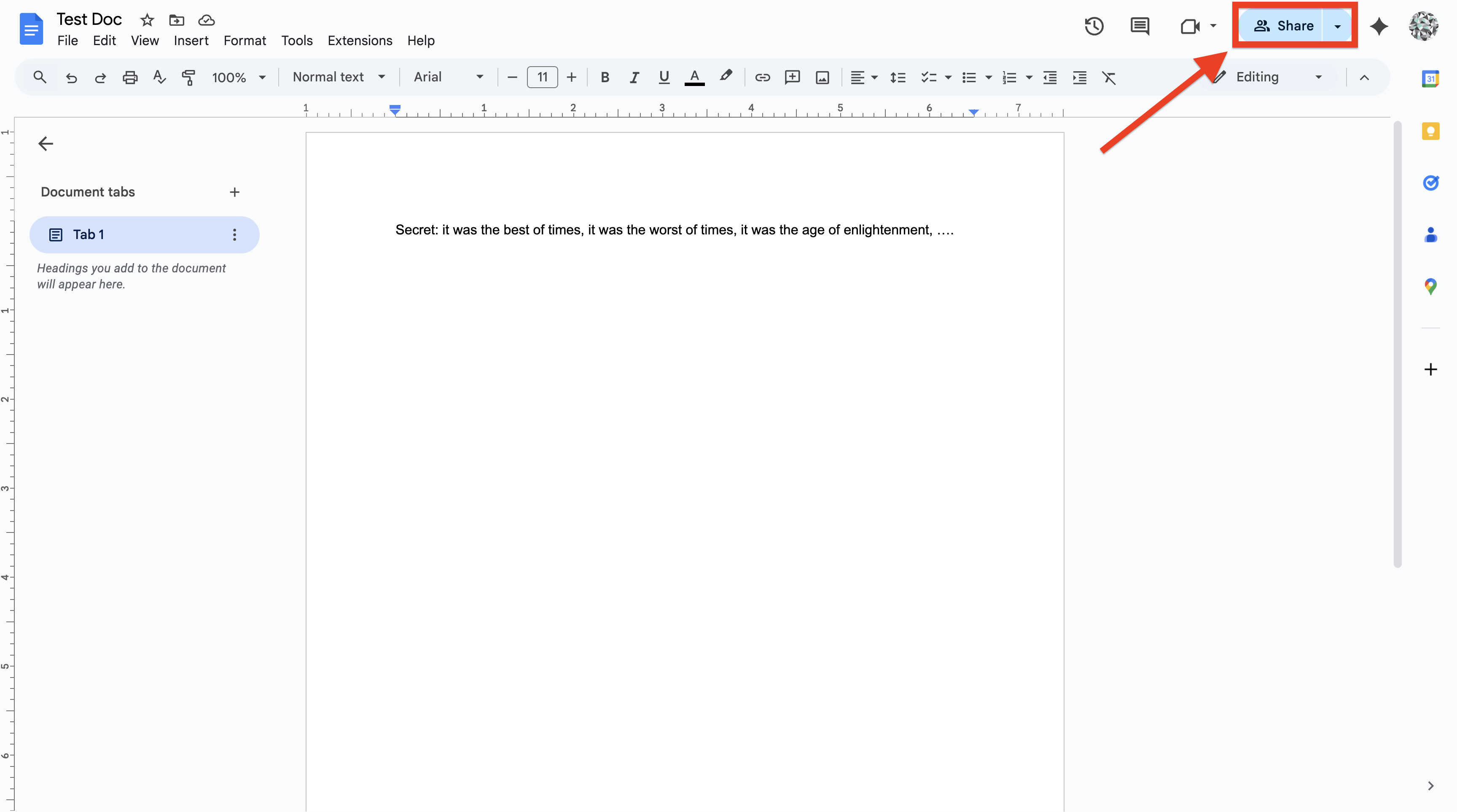 3. Share your file or folder with your employee, using whatever permissions level you think is appropriate.
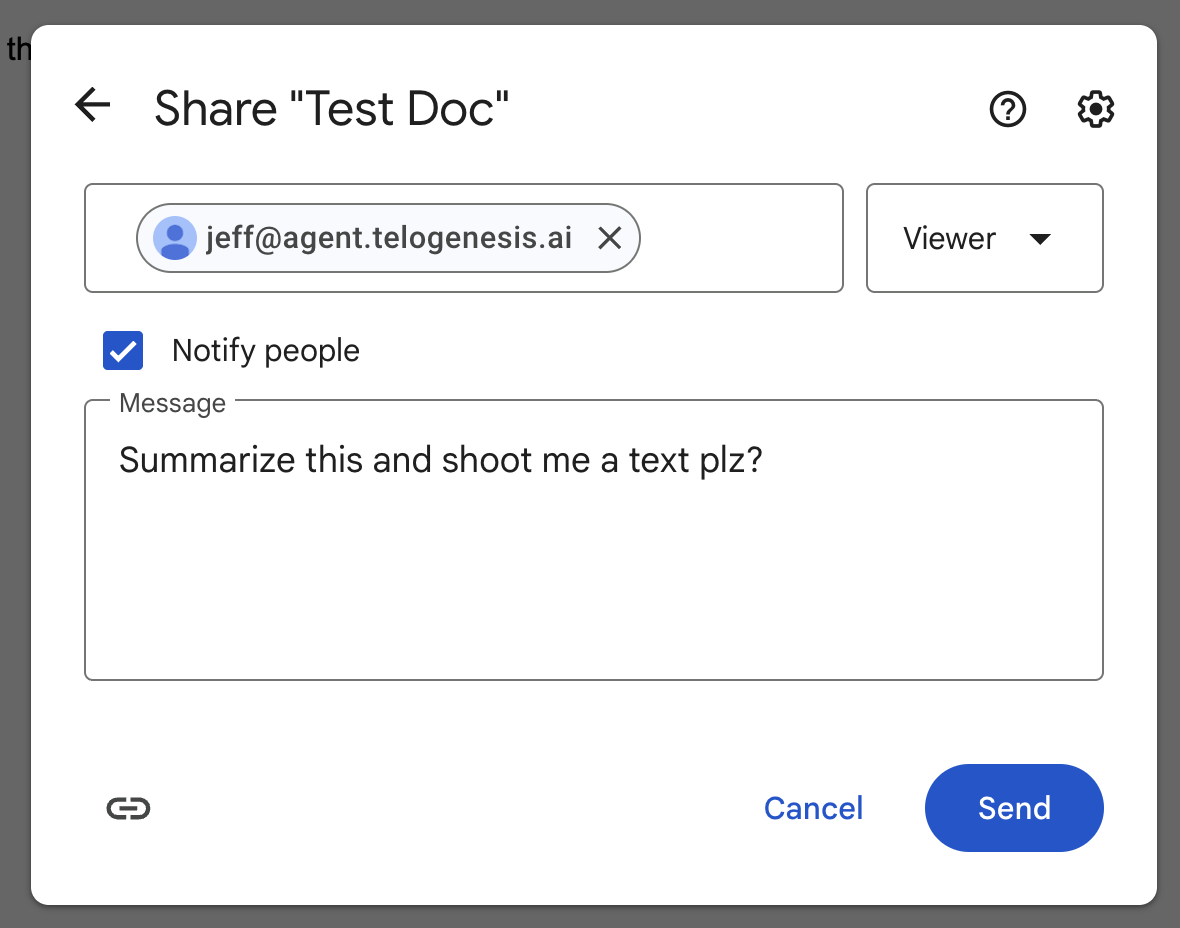 4. Click **Send** to send the sharing invitation to your employee.
You can revoke Drive access for your employees at any time through the [Google Drive](https://drive.google.com) web app.
# Permissions
Google provides three permission levels for Drive sharing. We support all of them. They are:
* Viewer (read-only access)
* Commenter (can add comments and suggestions)
* Editor (can make changes)
We recommend picking **Editor**, as that will let your employees create and edit documents, spreadsheets, and other files for you. If you don't want your employee to modify certain files, you should pick **Viewer** or **Commenter**. You can revoke permission at any time.
# Prerequisites
* The employee must have the `google_docs` tool category enabled (check the **Tool Categories** section, in the [Employee Tab](https://app.kuren.ai/employees)).
4. Click **Send** to send the sharing invitation to your employee.
You can revoke Drive access for your employees at any time through the [Google Drive](https://drive.google.com) web app.
# Permissions
Google provides three permission levels for Drive sharing. We support all of them. They are:
* Viewer (read-only access)
* Commenter (can add comments and suggestions)
* Editor (can make changes)
We recommend picking **Editor**, as that will let your employees create and edit documents, spreadsheets, and other files for you. If you don't want your employee to modify certain files, you should pick **Viewer** or **Commenter**. You can revoke permission at any time.
# Prerequisites
* The employee must have the `google_docs` tool category enabled (check the **Tool Categories** section, in the [Employee Tab](https://app.kuren.ai/employees)).